
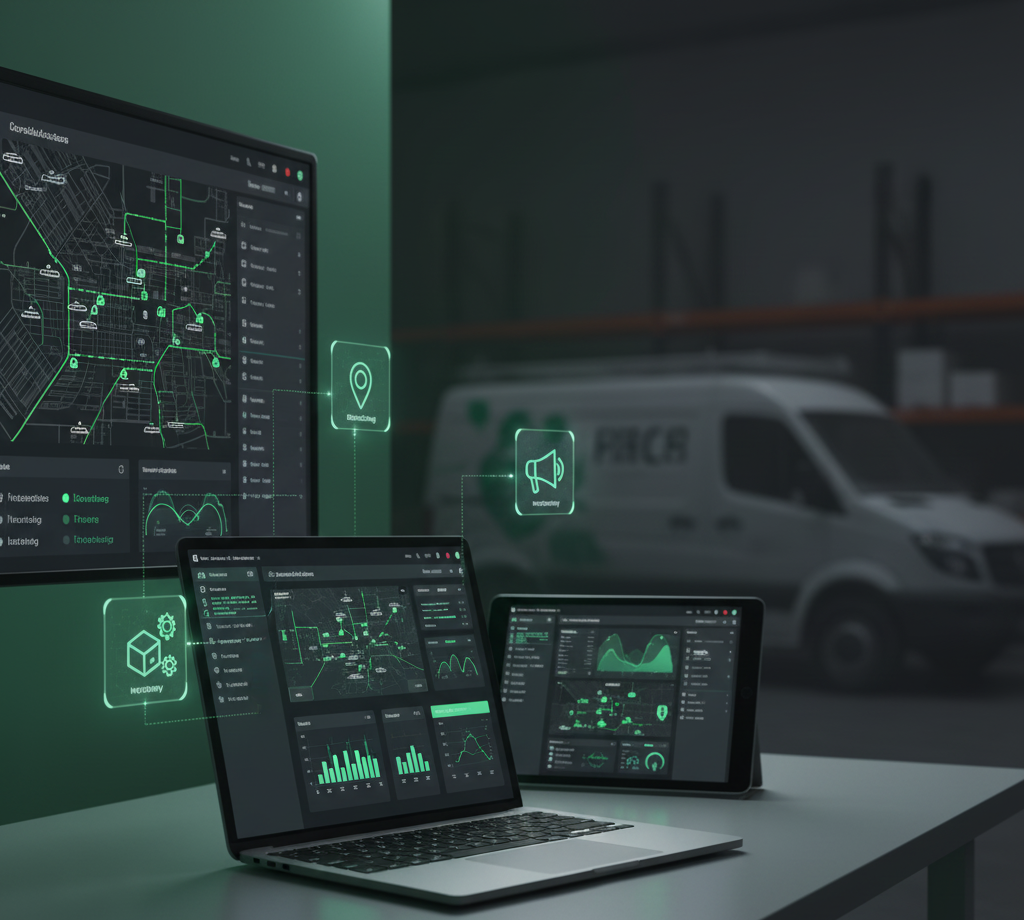
The $30,000 Mistake Most Contractors Make With Technology
Here’s a conversation that happens every month: A contractor calls frustrated because they’re spending $2,500+ monthly on software that doesn’t talk to each other, their team won’t use half of it, and they still can’t answer basic questions like “Which marketing channel is generating the best customers?”
They’ve got a CRM that doesn’t integrate with their scheduling software. Scheduling software that doesn’t sync with their accounting. Accounting software that doesn’t connect to their payment processor. And a field service management tool that promises to do everything but actually does nothing particularly well.
Welcome to tool overload—the $30,000+ annual mistake that’s draining contractor bank accounts and sanity simultaneously.
Here’s the truth: Technology should make your business simpler, not more complicated. When you’re spending more time managing software than managing your business, something’s broken.
This guide cuts through the noise. No affiliate commissions. No sponsored recommendations. Just straight talk about what actually works for home service contractors who want to grow profitably without getting buried in software complexity.
The Real Question: What Problem Are You Actually Solving?
Before we dive into specific software recommendations, let’s address the fundamental mistake contractors make: they buy tools before defining problems.
Someone tells them “You need a CRM!” So they buy Salesforce or HubSpot without asking: “What specific problem will this solve for my business?”
The result? Expensive software sitting unused while they continue managing leads in Excel spreadsheets and their inbox.
Here’s the framework that actually works:
Problem-First Technology Selection:
- Identify your specific pain point (we’re losing leads, can’t track technician productivity, customer service is inconsistent, etc.)
- Quantify the cost (how much is this problem costing in lost revenue or wasted time?)
- Define success metrics (what measurably changes when this is fixed?)
- Find the simplest tool that solves this specific problem
- Implement completely before adding anything else
This approach prevents tool overload and ensures every dollar spent on technology delivers measurable ROI.
The Five-Layer Technology Stack for Home Service Contractors
Based on working with contractors from $1M to $100M in revenue, there’s a clear five-layer technology stack that scales with business growth:
Layer 1: Customer Relationship Management (CRM)
Layer 2: Scheduling and Dispatch
Layer 3: Payment Processing
Layer 4: Communication Platforms
Layer 5: Field Service Management
Let’s break down each layer with specific recommendations based on business size and needs.
Layer 1: Customer Relationship Management (CRM)
The Problem It Solves:
- Leads getting lost in emails and text messages
- No systematic follow-up with potential customers
- Can’t track marketing ROI (which channels generate customers)
- Inconsistent customer service and communication
- Lost opportunities for repeat business and referrals
What You Actually Need:
The CRM debate in home services often becomes overwhelming because people recommend enterprise solutions designed for tech companies. Contractors don’t need Salesforce complexity—they need something their team will actually use.
For Small Contractors ($500K-$2M Revenue)
Recommended: ServiceTitan, Housecall Pro, or Jobber
These are home service-specific CRMs that combine customer management with job scheduling and invoicing. They’re built for contractors, which means:
- Pre-built workflows for common scenarios
- Mobile-first design (technicians can actually use them)
- Integration with payment processing
- Customer communication templates
- Basic reporting for marketing ROI
Price Range: $200-500/month depending on user count
ROI Calculation: If this software helps you book just 3-4 additional jobs per month at $500 average ticket, it pays for itself. Most contractors see 15-20% increase in lead-to-customer conversion just by having systematic follow-up.
Implementation Reality Check: Plan 30-45 days for full implementation. This isn’t install-and-go software. You need to:
- Import existing customer database (clean it first)
- Set up custom fields relevant to your services
- Train entire team on usage
- Create standard operating procedures for data entry
- Establish accountability for keeping it updated
For Medium Contractors ($2M-$10M Revenue)
Recommended: ServiceTitan or FieldEdge
At this revenue level, you need more sophisticated features:
- Multi-location management
- Complex pricing and membership programs
- Advanced reporting and analytics
- Marketing automation capabilities
- Inventory management integration
Price Range: $500-1,500/month depending on features and user count
The Integration Requirement: Your CRM must integrate seamlessly with accounting software (QuickBooks or similar). Manual data entry between systems wastes thousands of dollars monthly in admin time and creates error opportunities.
For Large Contractors ($10M+ Revenue)
Recommended: ServiceTitan Enterprise or Custom Solutions
Large contractors need enterprise-level capability:
- Advanced workflow automation
- Custom reporting dashboards
- Multi-location rollups
- Revenue center tracking
- Commission and compensation automation
Price Range: $1,500-5,000/month (or more for custom builds)
The Custom vs. Off-Shelf Decision: At this scale, some contractors build custom solutions. This makes sense only if:
- Off-shelf solutions can’t handle your complexity
- You have in-house IT resources
- You’re willing to invest $100K+ in development
- You plan to maintain and update ongoing
Most contractors are better served by enterprise versions of proven platforms.
Layer 2: Scheduling and Dispatch
The Problem It Solves:
- Inefficient routing (technicians driving unnecessary miles)
- Schedule gaps (tech capacity wasted on drive time)
- Missed appointments (poor customer communication)
- Double-booking disasters
- Can’t track technician productivity
What You Actually Need:
Scheduling software that optimizes routes, confirms appointments automatically, and gives real-time visibility into your entire team’s location and status.
Essential Features for All Business Sizes:
Route Optimization
- Automatically arranges appointments by geography
- Minimizes drive time between jobs
- Factors in traffic patterns
- Saves 15-25% on fuel and drive time
Automated Appointment Confirmation
- SMS and email reminders 24 hours before
- Automated “on my way” notifications
- Arrival window updates
- Reduces no-shows by 30-40%
Real-Time GPS Tracking
- Know where every technician is, always
- Accurate arrival time estimates for customers
- Proof of service (time stamps and locations)
- Identify productivity issues quickly
Customer Self-Booking
- Online scheduling portal on your website
- Real-time availability display
- Automated confirmation and reminders
- Reduces office phone volume 20-30%
Software Options by Business Size:
Small ($500K-$2M): Housecall Pro or Jobber
- Built-in with CRM (no additional cost)
- Simple interface team adopts quickly
- Mobile-optimized for field use
- Basic route optimization
Medium ($2M-$10M): ServiceTitan or FieldEdge
- Advanced routing algorithms
- Complex scheduling rules (skills, certifications, territories)
- Capacity planning tools
- Performance analytics by technician
Large ($10M+): ServiceTitan Enterprise + Route Optimization Add-ons
- Multi-location dispatch coordination
- Real-time dynamic rescheduling
- Predictive scheduling (AI-powered)
- Integration with traffic and weather APIs
The Integration Non-Negotiable: Your scheduling system MUST sync with your CRM. Manually updating two systems wastes hours daily and creates scheduling errors that lose customers.
Layer 3: Payment Processing
The Problem It Solves:
- Slow payment collection (cash flow killer)
- Payment disputes and chargebacks
- Manual invoice creation and tracking
- Technicians can’t collect on-site
- Difficult financing options for customers
What You Actually Need:
Payment processing integrated with invoicing that allows technicians to collect payment on-site via mobile devices, with built-in financing options for larger jobs.
Non-Negotiable Payment Features:
Mobile Payment Processing
- Technicians collect payment via phone/tablet before leaving
- Credit/debit card acceptance
- ACH/bank transfer options
- Digital signature capture
- Email receipt automatically
Integrated Invoicing
- Invoice generated from job details automatically
- Sent via email/SMS immediately
- Payment link embedded in invoice
- Automatic payment reminders for unpaid invoices
Consumer Financing Integration
- Instant approval at point of sale
- Multiple financing options (6, 12, 24, 60 months)
- Contractor paid immediately, customer pays financing company
- Increases close rate on jobs over $2,500 by 40-60%
Recommended Payment Processors:
For ServiceTitan Users: ServiceTitan Payments
- Seamless integration (obviously)
- Competitive rates (2.4-2.9% + $0.25)
- Built-in financing options
- All payment data in one system
For Other Platforms: Stripe or Square
- Easy integration with most field service software
- Transparent pricing (2.6-2.9% + $0.10)
- Quick approval and setup
- Extensive API for custom integrations
Consumer Financing: GreenSky, ServiceFinance, or Wisetack
- Contractor-specific financing platforms
- Higher approval rates than general consumer financing
- Quick approval (often instant)
- Contractor paid in 1-2 days
Pricing Reality: Payment processing costs money. Budget 2.5-3% of revenue for processing fees. Yes, it’s expensive. But collecting payment on-site vs. invoicing and chasing payment more than makes up for the cost.
ROI Calculation: If you currently invoice 30% of jobs and collect payment on-site for 70%, switching to 95%+ on-site collection reduces:
- Days sales outstanding (DSO) by 15-20 days
- Bad debt by 40-60%
- Administrative time chasing payments by 10-15 hours/month
That’s worth the processing fees.
Layer 4: Communication Platforms
The Problem It Solves:
- Phone tag with customers and technicians
- Missed calls = lost revenue
- Inconsistent customer communication
- No documentation of conversations
- After-hours calls disrupting life
What You Actually Need:
A unified communication system that routes calls appropriately, documents all interactions, enables text communication, and provides after-hours coverage without giving customers your personal number.
The Multi-Channel Communication Stack:
Phone System: VoIP with Call Routing
Ditch traditional phone lines for cloud-based VoIP systems:
Recommended: RingCentral, Nextiva, or 8×8
Key features contractors need:
- Automatic call routing (sales vs. service vs. emergency)
- Call recording (for quality control and training)
- Voicemail transcription (read messages vs. listening)
- Mobile app (answer business calls from anywhere)
- After-hours routing (to answering service or on-call tech)
Price: $25-50 per user/month
The Call Flow That Works:
- Customer calls main number
- Auto-attendant: “Press 1 for new service, 2 for existing customer, 3 for emergency”
- Calls route to appropriate queue
- If no answer after 3 rings, route to answering service
- All calls logged and recorded automatically
Text Messaging: Business SMS Platform
Customers prefer texting. Smart contractors make it easy.
Recommended: Podium, Textline, or Built-in CRM Texting
Key features:
- Text from business phone number (not personal)
- Team inbox (anyone can respond)
- Automated text campaigns (appointment reminders, review requests)
- Two-way communication with customers
- Integration with CRM (all texts logged)
Price: $200-400/month
Use Cases That Drive ROI:
- Appointment confirmations (reduces no-shows)
- “On my way” notifications (improves customer satisfaction)
- Photo sharing (show customer problem before/after)
- Review requests (increases online reviews 300-400%)
- Payment reminders (improves collection rates)
Email Marketing: Simple Automation Platform
Recommended: Mailchimp, Constant Contact, or CRM Built-in Email
Don’t overthink this. You need basic email automation:
- Welcome series for new customers
- Seasonal maintenance reminders
- Special offer campaigns
- Newsletter (if you actually write one regularly)
Price: $20-100/month depending on list size
The 80/20 Rule: 80% of email marketing value comes from 20% of campaigns:
- Seasonal service reminders (spring/fall maintenance)
- Birthday/anniversary messages
- Review/referral requests
- Reactivation campaigns for dormant customers
Don’t build complex email automation you’ll never use. Start simple, add complexity only when you’ve maximized simpler approaches.
Layer 5: Field Service Management (FSM)
The Problem It Solves:
- Can’t track job profitability in real-time
- No visibility into technician productivity
- Inventory management chaos
- Inconsistent pricing and proposals
- Manual reporting and analytics
What You Actually Need:
Comprehensive field service management combines CRM, scheduling, payment processing, and operational reporting into one platform. This is why many contractors choose all-in-one solutions like ServiceTitan.
All-in-One vs. Best-of-Breed Decision:
All-in-One Platforms (ServiceTitan, Housecall Pro, Jobber):
Pros:
- Everything integrated out of the box
- Single vendor for support
- One monthly bill
- Data flows seamlessly between functions
- Faster implementation
Cons:
- Each feature may not be best-in-class
- Locked into one vendor’s ecosystem
- Can be expensive at scale
- Less flexibility for customization
Best-of-Breed Approach (Separate tools for each function):
Pros:
- Choose best tool for each specific need
- More negotiating leverage (can switch vendors)
- Often more affordable at small scale
- Greater customization potential
Cons:
- Integration complexity (requires Zapier or custom APIs)
- Multiple vendors to manage
- Data sync issues create problems
- Longer implementation time
- Higher technical expertise needed
The Recommendation by Business Size:
Small Contractors ($500K-$2M): All-in-One Platform
Start with Housecall Pro or Jobber. You need simplicity and quick wins, not customization complexity.
Medium Contractors ($2M-$10M): All-in-One Platform (ServiceTitan or similar)
The integration benefits outweigh best-of-breed advantages. Focus on growth, not managing software integrations.
Large Contractors ($10M+): Evaluate Both Approaches
At this scale, you have IT resources to manage best-of-breed complexity if the benefits justify it. Most still choose enterprise all-in-one solutions, but custom builds make sense for unique business models.
The Technology Implementation Roadmap (Avoiding the $30K Mistake)
Here’s where most contractors fail: they buy everything at once, implement nothing fully, and waste thousands on unused software.
The right approach: Layer your technology over 12-18 months.
Months 1-3: Foundation Layer (CRM + Payment Processing)
Month 1:
- Select and purchase CRM
- Clean existing customer database
- Set up basic fields and workflows
- Train team on data entry standards
Month 2:
- Import historical customer data
- Set up payment processing integration
- Create standard operating procedures for usage
- Establish accountability metrics
Month 3:
- Monitor adoption and usage
- Refine workflows based on real-world use
- Advanced training for power users
- Measure baseline metrics (lead conversion rate, average ticket, customer retention)
Don’t add more software until this foundation is solid.
Months 4-6: Scheduling Optimization
Month 4:
- Implement scheduling software (or enable scheduling features in all-in-one platform)
- Set up automated appointment reminders
- Configure route optimization settings
- Train dispatch team
Month 5:
- Enable customer self-booking portal
- Integrate with CRM (if not already integrated)
- Establish GPS tracking and reporting
- Create productivity dashboards
Month 6:
- Analyze scheduling efficiency gains
- Optimize routes based on 90 days data
- Refine booking rules and capacity planning
- Train technicians on mobile scheduling tools
Months 7-9: Communication Systems
Month 7:
- Implement VoIP phone system
- Set up call routing rules
- Configure after-hours handling
- Train team on new phone system
Month 8:
- Add business texting platform
- Create text message templates
- Set up automated text campaigns
- Integrate with CRM
Month 9:
- Launch email automation for seasonal campaigns
- Create review request workflows
- Set up reactivation campaigns
- Measure communication efficiency improvements
Months 10-12: Advanced Features and Optimization
Month 10:
- Enable advanced reporting and analytics
- Create custom dashboards for KPIs
- Set up inventory management (if needed)
- Implement pricing and quoting tools
Month 11:
- Optimize all integrations
- Advanced team training on all systems
- Document all workflows and procedures
- Create training program for new hires
Month 12:
- Full system audit
- ROI analysis on all technology investments
- Identify gaps or unused features
- Plan next phase of technology evolution
This phased approach costs the same as buying everything at once, but delivers 300-400% better adoption and ROI.
The ROI Calculation Framework (Proving Technology Pays)
Every technology investment should be measured against specific outcomes:
CRM ROI Metrics:
Lead Conversion Rate:
- Baseline: % of leads that become customers
- Target: 15-20% improvement within 6 months
- Measurement: Track monthly conversion rates before/after
Customer Lifetime Value:
- Baseline: Average customer spends over their lifetime
- Target: 25-35% improvement through better follow-up and retention
- Measurement: Track repeat purchase rates and annual customer value
Marketing ROI:
- Baseline: Can’t track which marketing generates best customers
- Target: Clear attribution for every dollar spent
- Measurement: Revenue per marketing channel vs. cost per channel
Scheduling ROI Metrics:
Drive Time Efficiency:
- Baseline: Average daily drive time per technician
- Target: 15-20% reduction through route optimization
- Measurement: Miles driven and time logged vs. billable hours
Appointment Completion Rate:
- Baseline: % of scheduled appointments that happen
- Target: 20-30% reduction in no-shows through automated reminders
- Measurement: Scheduled vs. completed appointments
Jobs Per Technician Per Day:
- Baseline: Average jobs completed daily
- Target: 15-25% increase through better scheduling
- Measurement: Total jobs divided by technician days worked
Payment Processing ROI Metrics:
Days Sales Outstanding (DSO):
- Baseline: Average days between service and payment collection
- Target: Reduce from 30-45 days to 5-10 days
- Measurement: Invoice date vs. payment date across all jobs
Collection Rate:
- Baseline: % of invoiced amount actually collected
- Target: Improve from 85-90% to 95-98%
- Measurement: Revenue invoiced vs. cash collected
Large Job Close Rate:
- Baseline: % of estimates over $2,500 that convert to jobs
- Target: 40-60% improvement with financing options
- Measurement: Track separately for jobs with and without financing offered
The Technology ROI Threshold:
A technology investment is justified when:
Annual benefit ≥ 5x annual cost
Example: CRM costs $6,000/year. You need to show $30,000 in additional profit from improved lead conversion, better customer retention, or reduced administrative costs.
Most contractors who properly implement the right technology stack see 10-15x ROI within 18 months. The key word: properly implement.
The Common Technology Mistakes (And How to Avoid Them)
Mistake #1: Buying Before Planning
The Error: Purchasing software because a competitor uses it or a vendor pitches well, without defining what problem you’re actually solving.
The Fix: Define the specific problem, quantify its cost, establish success metrics, THEN evaluate technology solutions.
Mistake #2: Implementing Everything at Once
The Error: Buying an all-in-one platform and trying to activate every feature in the first month, overwhelming the team and ensuring nothing gets used properly.
The Fix: Phased implementation over 12-18 months, starting with foundation layers and adding complexity only after achieving adoption.
Mistake #3: Skipping Training and Change Management
The Error: Assuming the team will figure out new software on their own, leading to workarounds, manual processes, and wasted investment.
The Fix: Allocate 20-30% of software costs to training, create standard operating procedures, establish accountability for usage, and celebrate adoption wins.
Mistake #4: Not Integrating Systems
The Error: Buying best-of-breed tools that don’t talk to each other, forcing manual data entry between systems and creating data inconsistencies.
The Fix: Prioritize integration capability when selecting tools. If systems don’t integrate natively, budget for Zapier or custom API development—or choose different tools.
Mistake #5: Ignoring Mobile Experience
The Error: Selecting software based on desktop experience when 80% of usage will be on mobile devices by technicians in the field.
The Fix: Test mobile experience extensively before purchasing. If the mobile app is clunky or missing features, your team won’t use it.
Mistake #6: Over-Customizing
The Error: Spending tens of thousands customizing software to match current processes instead of adapting processes to match software best practices.
The Fix: Start with out-of-box configuration. Customize only after 6-12 months of usage when you clearly understand what actually needs to be different.
Mistake #7: No Data Migration Plan
The Error: Purchasing new software without a clear plan for moving existing customer data, resulting in months of dual systems and data inconsistencies.
The Fix: Clean your data before migration. Create migration checklist. Schedule dedicated time for data import. Verify accuracy before fully switching to new system.
The Technology Stack Evolution (Growing With Your Business)
Your technology needs change as you grow. Here’s what that evolution looks like:
Stage 1: $500K-$1M Revenue (1-3 Employees)
Priority: Simple tools that eliminate manual processes
Minimal Stack:
- Basic CRM with scheduling (Jobber or similar)
- Square or Stripe for payments
- Google Voice or basic VoIP
- QuickBooks for accounting
Monthly Cost: $200-400
Stage 2: $1M-$3M Revenue (3-10 Employees)
Priority: Systems that improve customer experience and operational efficiency
Recommended Stack:
- Housecall Pro or Jobber (upgraded plan)
- Integrated payment processing with financing
- Business phone system with call routing
- Basic text messaging capability
- Email marketing platform
Monthly Cost: $500-800
Stage 3: $3M-$10M Revenue (10-30 Employees)
Priority: Scalable platforms with advanced analytics and automation
Recommended Stack:
- ServiceTitan or FieldEdge
- Advanced payment processing with multiple financing options
- Enterprise communication platform
- Marketing automation
- Advanced reporting and business intelligence
Monthly Cost: $1,500-3,000
Stage 4: $10M+ Revenue (30+ Employees)
Priority: Enterprise solutions with customization, multiple locations, and sophisticated reporting
Recommended Stack:
- ServiceTitan Enterprise or custom-built solutions
- Multi-entity payment processing
- Enterprise communication suite
- Advanced marketing automation and CRM
- Business intelligence and data analytics platforms
- Custom integrations and APIs
Monthly Cost: $3,000-8,000+
The Pattern: Technology costs as a percentage of revenue should stay around 0.5-1.0% regardless of size. You’re buying more sophisticated tools as you grow, but they’re driving more revenue efficiency.
Your Technology Implementation Decision Matrix
Use this framework to evaluate any technology purchase:
Question 1: What Specific Problem Does This Solve? If you can’t articulate a clear problem, don’t buy it.
Question 2: What’s the Cost of This Problem? Calculate actual dollars lost due to this problem. If it’s less than 5x the software cost, fix it differently.
Question 3: What Are My Success Metrics? Define 2-3 measurable outcomes that prove this investment worked.
Question 4: Does It Integrate With My Core Systems? If integration requires manual work or expensive custom development, reconsider.
Question 5: Is My Team Ready to Use This? Assess technical capability honestly. Complex software for non-technical teams fails.
Question 6: What’s My Implementation Timeline? Be realistic. Plan 2-3x longer than vendor says for full adoption.
Question 7: What’s My Backup Plan? If this software fails or the vendor goes out of business, how do you recover your data and operations?
Only buy when you can answer all seven questions confidently.
The Bottom Line on Technology
Technology should be an enabler, not a burden. The right tools, implemented properly, can transform your home service business:
- Better customer experiences (easier scheduling, faster service, clearer communication)
- Higher profitability (better lead conversion, larger tickets, faster payment collection)
- Operational efficiency (less drive time, higher productivity, better resource allocation)
- Scalability (grow without proportional overhead increase)
- Better data (make decisions based on facts, not hunches)
But technology alone doesn’t create these outcomes. Systems, training, and accountability do.
The contractors who get the most ROI from technology share these traits:
- They implement systematically, not all at once
- They train extensively and hold teams accountable for usage
- They measure outcomes and optimize based on data
- They resist shiny object syndrome and master existing tools before adding new ones
- They view technology as long-term investment, not quick fix
The $30,000 mistake isn’t buying the wrong software—it’s buying too much software without implementing any of it properly. Start with the foundation. Master it completely. Then add the next layer.
Your technology stack should make your business simpler to run, not more complicated to manage. If you’re drowning in software that doesn’t talk to each other, we can help you audit your current stack and create a rationalized approach that actually delivers ROI.
The best technology stack is the one your team actually uses. Everything else is just expensive digital clutter.